Cybersecurity Knowledge Base
CyberPedia
Your essential guide to cybersecurity threats, attacks, and defenses. Understand the risks. Protect your business.
Quishing
Overview
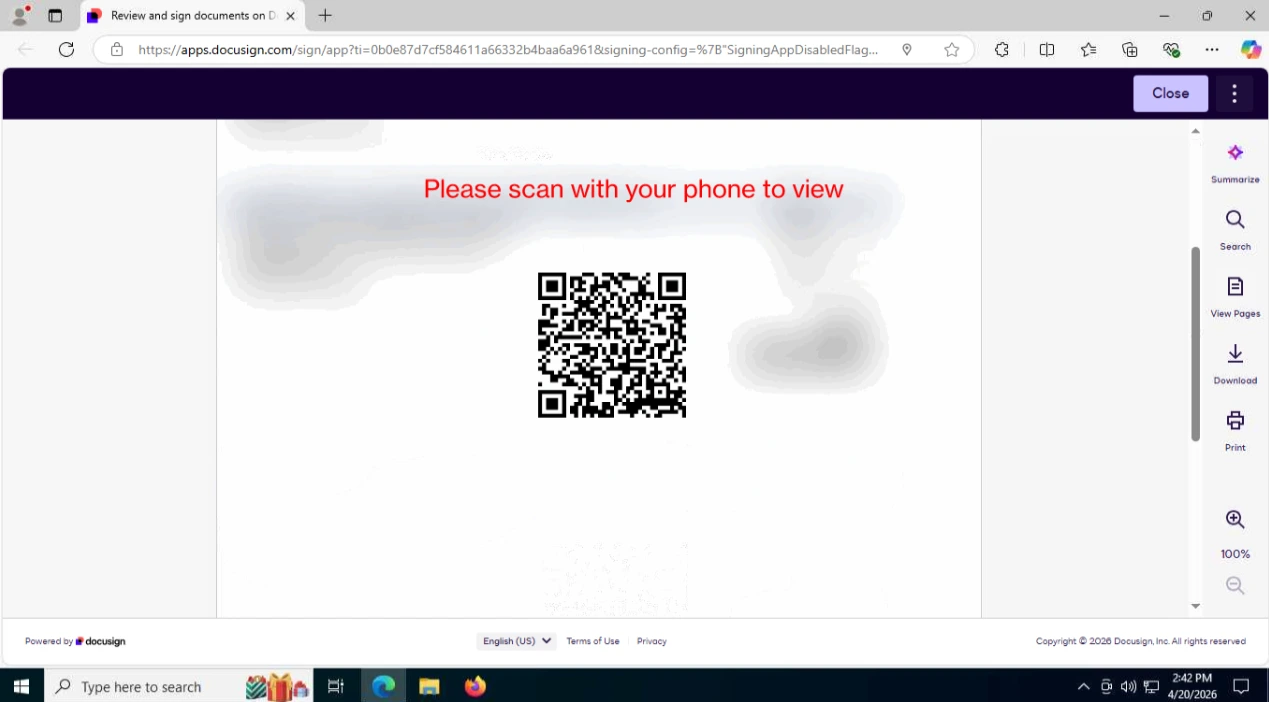
Quishing is a type of phishing attack that uses QR codes to trick victims into visiting malicious websites or performing unwanted actions, instead of clickable links in email or messages. In plain terms: quishing is phishing via QR code, counting on people to scan codes with their phones without scrutinizing the destination.
How Quishing Works
In a quishing attack, adversaries typically:
Embed a malicious URL inside a QR code, often leading to a fake login page, malware download, or credential-harvesting site.
Deliver the QR code via email, chat, PDFs, printed materials, or posters, sometimes disguised as legitimate notices (for example, “update your account,” “view your secure message,” or “parking payment”).
Rely on victims scanning the code with a smartphone camera or app, then entering credentials or approving actions on the malicious site.
Common Quishing Scenarios
Examples include:
Fake account or MFA prompts
Emails that say “scan this QR code to securely log in” or “reset your MFA,” redirecting to a lookalike login portal that steals credentials.
Payment or invoice lures
QR codes claiming to link to invoices, package tracking, or bill payment pages that instead collect payment details or credentials.
On-premises posters or signs
Stickers placed over legitimate codes (for menus, Wi‑Fi, or building services) that silently redirect to attacker-controlled sites.
Why Quishing Works
Quishing is effective because:
QR codes hide URLs
Users cannot easily see or recognize the full URL before scanning, making it harder to spot suspicious domains.
Mobile devices are less scrutinized
People may be less cautious on phones, and security controls or URL previews might be weaker than on corporate desktops.
Perception of convenience and security
Framing QR codes as “secure login” or “fast access” can lower skepticism, especially in professional-looking emails or documents.
Risks and Impact
Successful quishing attacks can lead to:
Credential theft and account takeover
Stolen usernames, passwords, and sometimes MFA codes for email, VPN, or cloud services.
Financial fraud
Redirection to fake payment pages that collect card or banking information.
Malware installation
Links that prompt app or profile installs, or that exploit mobile browser weaknesses.
Business email compromise (BEC)
Compromised accounts used to send further targeted messages, approve fraudulent payments, or access internal data.
Key Protections (Plain-Language)
To reduce quishing risk:
Treat QR codes like links
Be cautious about scanning codes from unsolicited emails, unknown senders, or random physical locations.
Check the URL after scanning
Most phones show the destination URL; verify the domain carefully before entering credentials or payment details.
Use official apps and bookmarks
For critical services (email, banking, corporate portals), open apps or bookmarked URLs directly instead of trusting a QR code.
Harden email and web defenses
Configure filters and security tools to inspect images and attached documents for embedded QR codes and risky destinations where possible.
Educate users
Include quishing in security awareness training, with examples of fake “secure QR login” emails and rogue physical codes.
Examples